
One framework.
Multiple pathways.
Whether you are implementing Digitability, Bankability, or both, your classroom will progress through the same Four Levels of Workplace Readiness. Your pathway determines how the framework is implemented to fit your classroom's students, logistics, instructional time, and preferences.

What is Bankability?
What Is Bankability?
See how the modern banking app connects financial literacy, workplace behavior, and meaningful classroom routines. Students earn classroom dollars for workplace-ready behaviors, then use them to pay bills, shop, and practice real financial decisions.
Through Bankability, teachers can:
Reinforce positive workplace behaviors through meaningful financial incentives.
Increase student motivation, engagement, and participation.
Teach real-world financial literacy through authentic banking experiences.
Develop workplace communication, self-regulation, and problem-solving skills.
Scale implementation from simple classroom economy routines to a comprehensive workplace readiness model.
How Bankability Works
Earn Virtual Money for Real Workplace Behavior
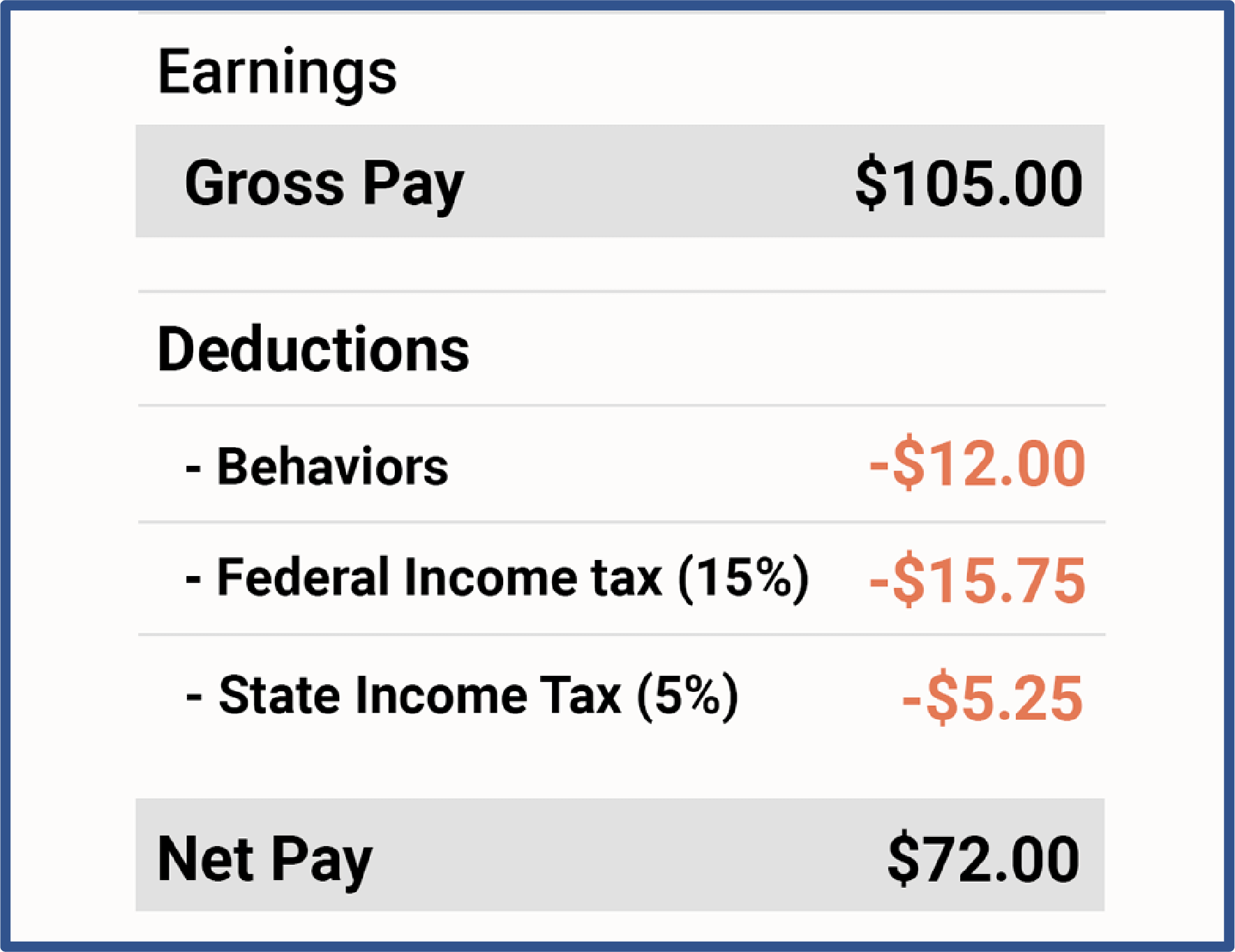
With Bankability students earn classroom currency for practicing workplace behaviors and receive direct deposits into their checking account every payday.
Pay Bills, Shop, and Manage a Real Bank Account
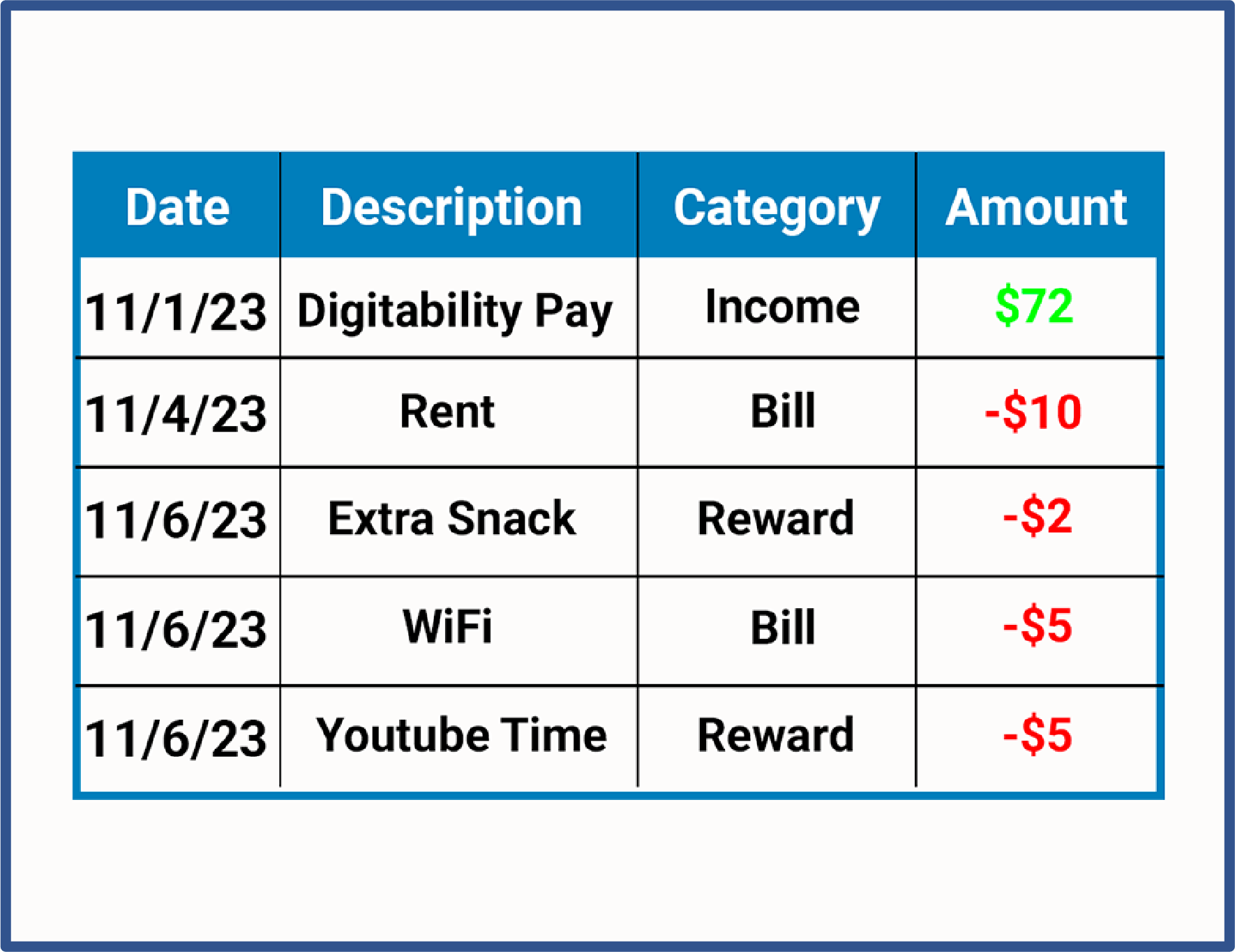
Students manage checking and savings accounts, pay classroom bills, shop for rewards, and review their finances.
Practice Financial Decision-Making in a Safe Environment
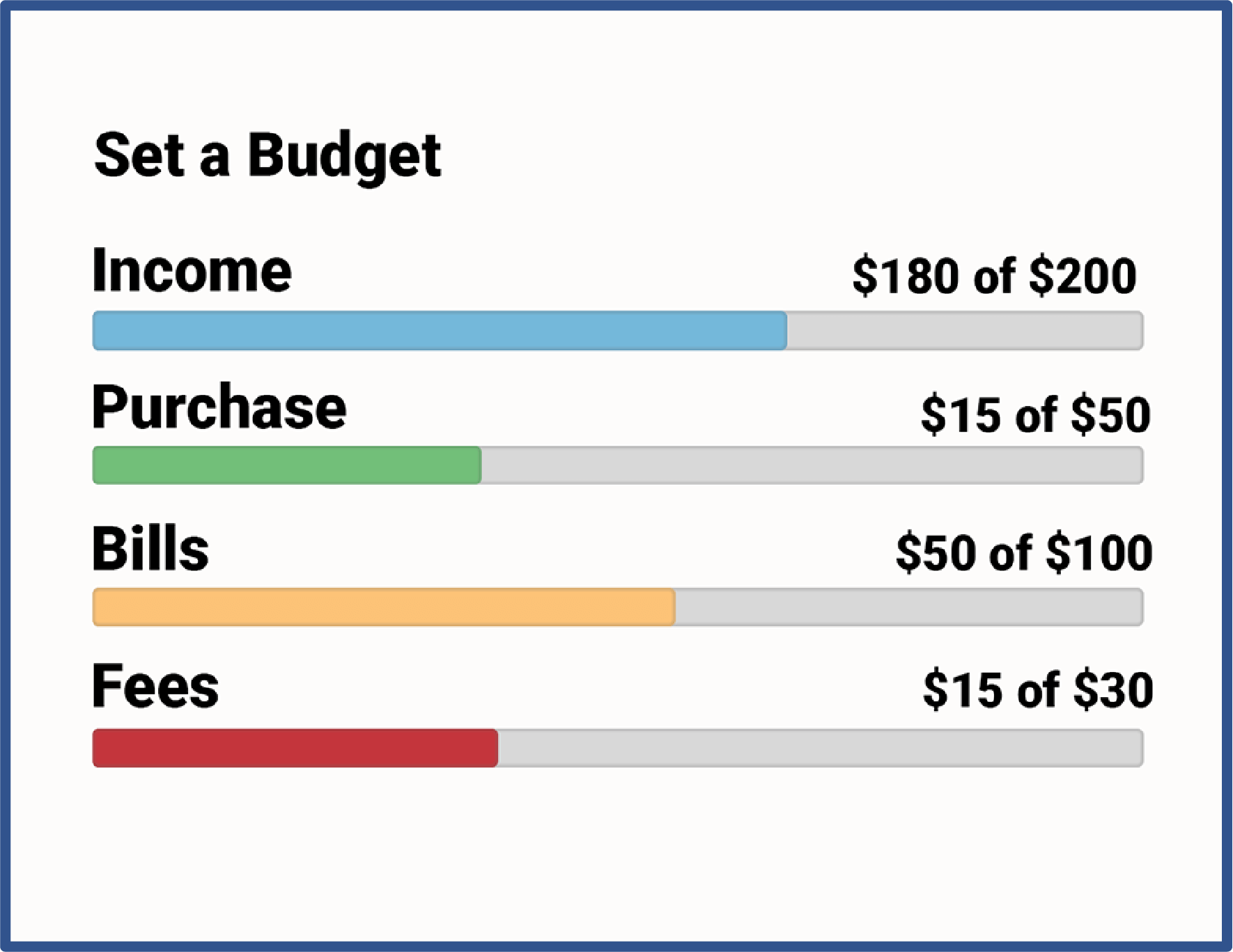
Budgeting tools give students a structured space to plan, prioritize spending, and build financial habits that stick—without real-world consequences.
Track Behavior and Financial Progress Over Time
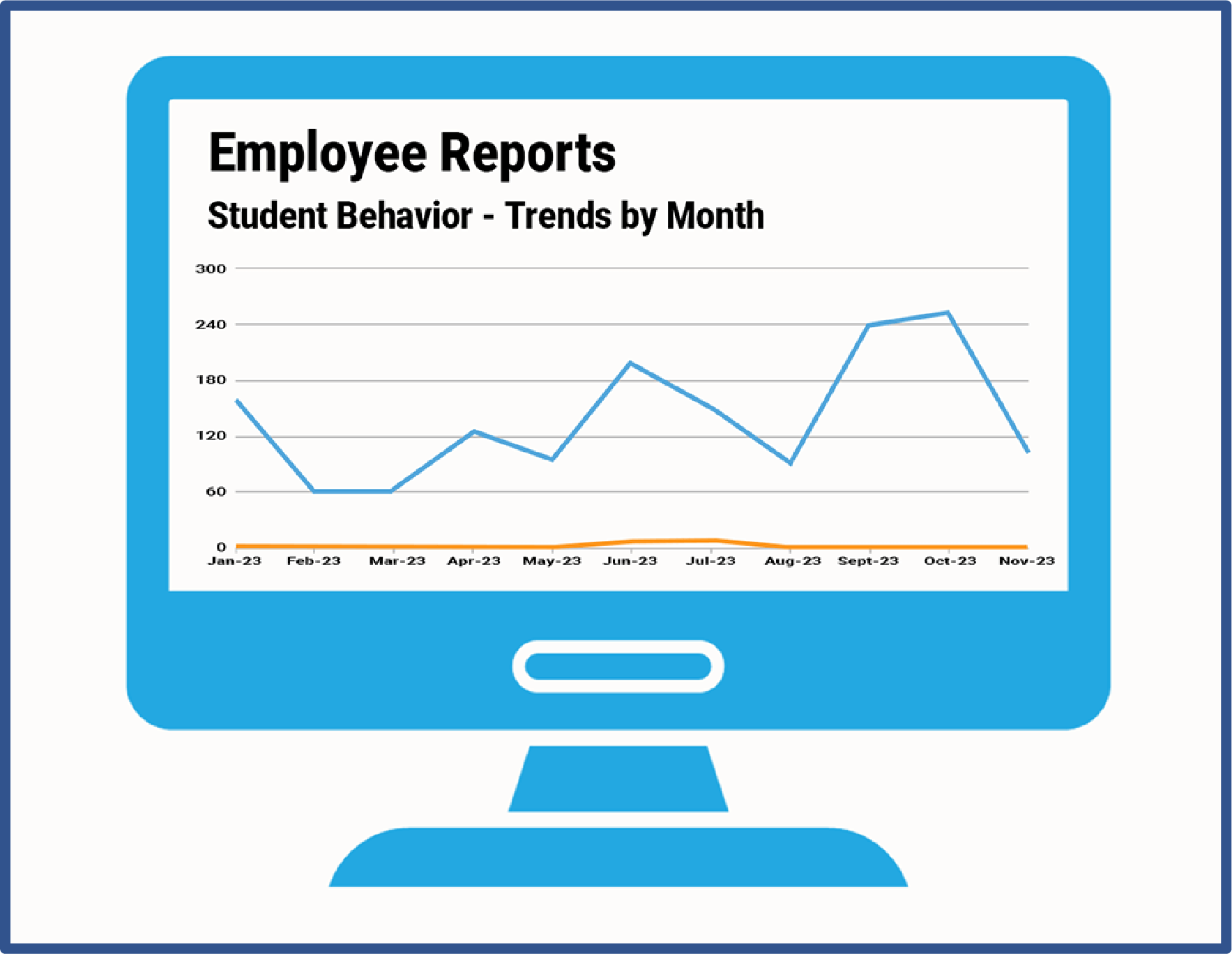
Every behavior dollar logged becomes a data point. Teachers monitor trends, generate reports, and share progress at the click of a button—supporting IEP documentation and behavior planning.
Customize Your Classroom Economy from One Dashboard
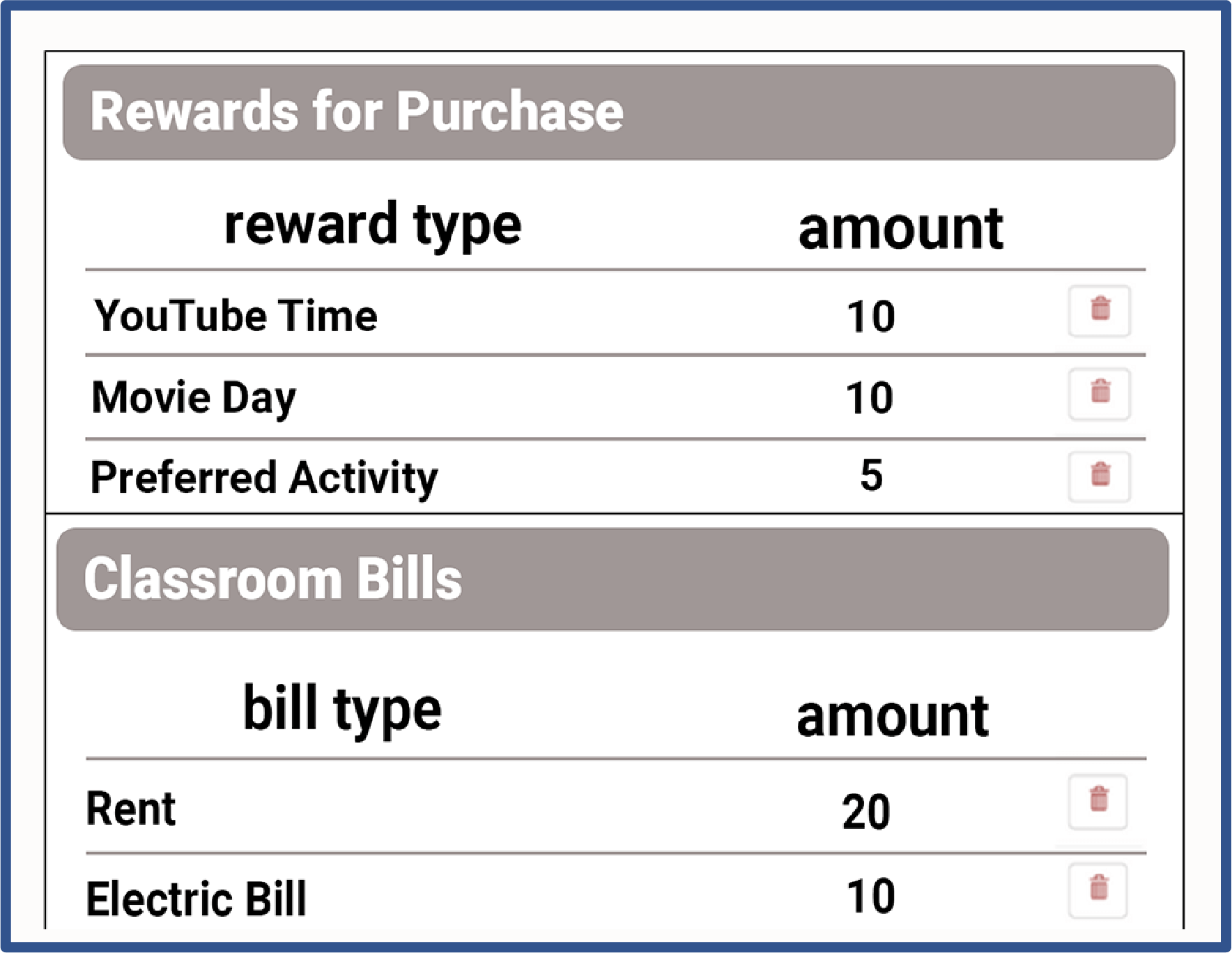
Set up classroom bills and rewards, run payroll, and approve purchase requests—all from one place. Designed to be fast and simple so it fits into your existing routine.
Expert-Designed Lessons for Self-Regulation and Workplace Readiness
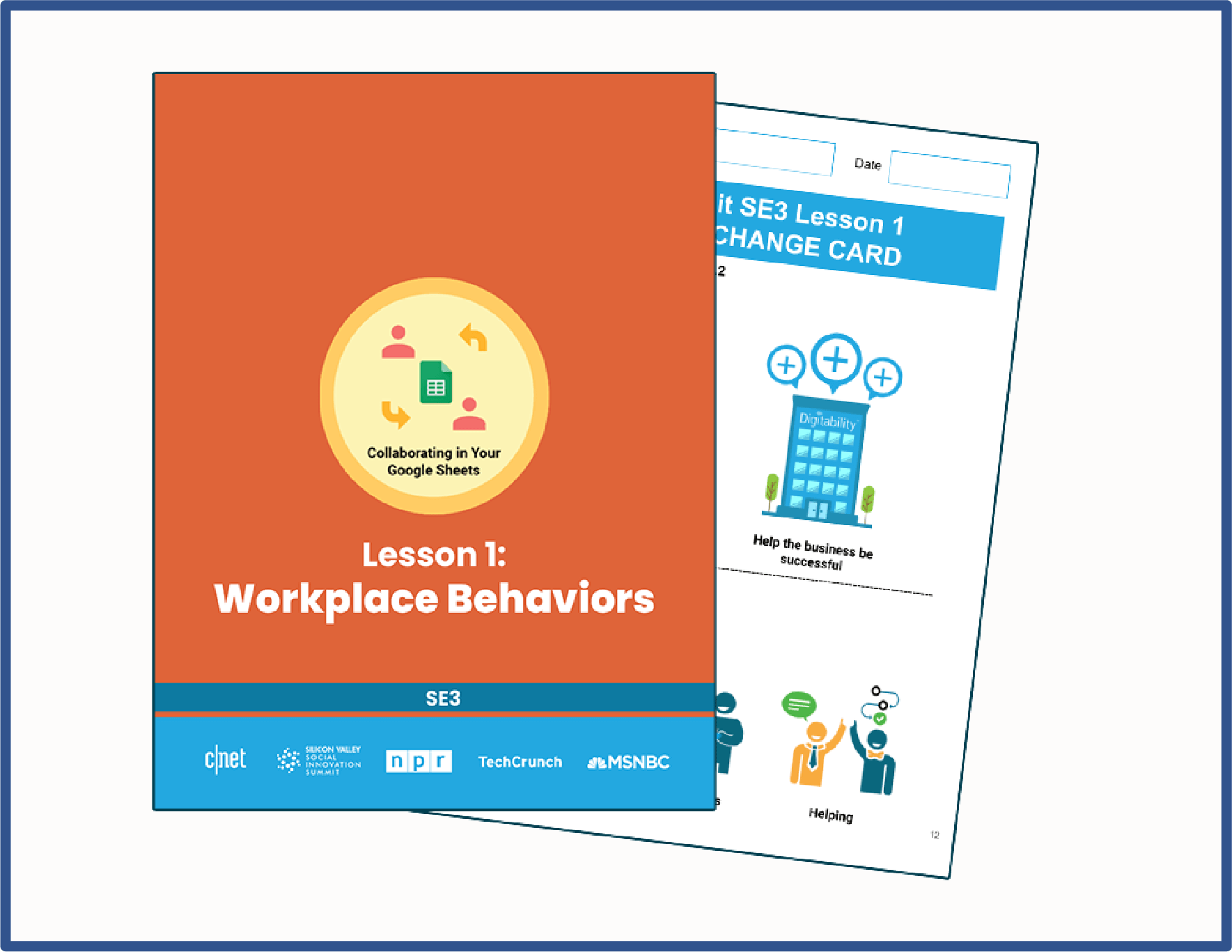
Designed by experts with comprehensive lesson plans included. Students develop self-regulation strategies, learn replacement behaviors, and build workplace skills that transfer well beyond the classroom.
Designed for the range of classrooms and learners you serve.
Bankability was built for special education from the start. Teachers can adjust supports, pacing, response expectations, and implementation depth while maintaining a consistent workplace-readiness framework across classrooms and programs.
Special Education & Inclusion
Flexible routines and differentiated expectations allow students with varied support needs to participate together.
Autism Support
Concrete language, visual structure, predictable routines, and repeated practice support skill development.
Life Skills & IDD Programs
Authentic practice with earning, bill pay, budgeting, decision-making, communication, and independence.
Transition & Community-Based Programs
Workplace behaviors and portfolio evidence connect classroom and community experiences to post-school goals.
Emotional & Behavioral Support
Positive reinforcement, reflection, replacement behaviors, and self-regulation are embedded into daily routines.
Executive Functioning Support
Students practice planning, prioritizing, problem solving, follow-through, and goal setting through meaningful decisions.
A consistent model with individualized supports.
The same classroom routine can be differentiated by the behavior being reinforced, the level of prompting provided, the financial concepts introduced, and the way students communicate, reflect, and demonstrate progress.
The Four Levels of Workplace Readiness
Each pathway moves students through the same developmental progression, while allowing classrooms to adjust pace, intensity, and instructional delivery.
Workplace Culture & Classroom Economy
Build a positive workplace culture through consistent language, reinforcement, and meaningful financial routines.
- Positive narration
- Participation dollars
- Payroll and rewards
- Daily financial literacy
Workplace Boundaries & Self-Regulation
Help students distinguish successful workplace behavior from actions that can create barriers to employment.
- Following directions
- Staying on task
- Professional boundaries
- Independent problem solving
Workplace Policies & Action Plans
Teach students how workplace expectations, feedback, performance reviews, and action plans support growth.
- Performance reviews
- Goal setting
- Action planning
- Professional communication
Workplace Advocacy & Portfolio Development
Prepare students to communicate their strengths, advocate for support, and build tools for transition.
- Self-advocacy
- Resume development
- Portfolio projects
- Interview preparation
How the Four Levels Work for Your Classroom
Learn how each level builds upon the next and how the framework adapts to different classroom settings and implementation pathways.
Choose the Right Level of Implementation
Choose from four pathways to fit your students, available time, and classroom routines.
Start simply and expand with coaching as your needs evolve.
Bankability
PBISBuild earning, saving, spending, and rewards into classroom routines.
Start hereBankability
PBIS+Add brief workplace behavior and financial-skills activities—with differentiation.
Start hereBankability
Life SkillsUse structured lessons and differentiated practice during dedicated instructional time.
Start hereDigitability
Connect learning to work experiences and portfolios, with support for different student roles.
Start here
Select Your Training
PBIS
For inclusion classrooms and other PBIS environments that want to begin with simple classroom economy and financial literacy routines without implementing the complete Bankability curriculum or Four-Level instructional sequence.
- Positive reinforcement tied to classroom dollars
- Participation dollars and simple earning routines
- Basic saving, spending, and budgeting practice
- Classroom rewards and financial decision making
- Easy integration into an existing PBIS system
Bankability PBIS+
For classrooms that want to implement the complete Four-Level framework but need greater flexibility because students spend significant time in the community, participate in vocational programming, or have limited formal instructional time.
- Progression through the same Four Levels
- Accelerated pace and fewer full lesson plans
- Daily reinforcement and workplace language
- Workplace policies, feedback, and action planning
- Financial literacy embedded throughout the day
Bankability Life Skills
For classrooms implementing the complete Bankability instructional model. Teachers use full lesson plans and daily routines to develop financial literacy, workplace behavior, communication, self-regulation, advocacy, and action-planning skills.
- Complete Bankability lesson sequence
- Progression through all Four Levels
- Classroom economy, payroll, and financial literacy
- Workplace policies, performance reviews, and action plans
- Workplace advocacy and portfolio development
Digitability
For classrooms implementing the complete Digitability model. Students build the Bankability foundation and then apply their skills through workplace simulations, classroom jobs, collaborative projects, problem solving, performance reviews, and Work-Ready Portfolio development.
- Bankability foundation across the Four Levels
- Full lessons with task analysis, repetition, and remediation—or a flexible community-based implementation
- Classroom jobs, workplace simulations, and authentic community experiences
- Collaborative work and workplace problem solving
- Performance reviews, resumes, and portfolio projects
Not sure which pathway fits?
Your Implementation Coach can help you select the pathway that aligns with your classroom schedule, student needs, current curriculum, and implementation goals.